What is the MTD end of year tax return?
30-second answer
Your end of year tax return is the final step in the Making Tax Digital (MTD) for Income Tax process.
After submitting your quarterly updates throughout the tax year, you'll complete one annual tax return covering the whole year. This is your opportunity to review everything you've submitted, make any final adjustments if needed and confirm your information before HMRC calculates how much tax you owe.
If you're joining MTD for the first time, you'll still complete your final Self Assessment for the tax year before MTD begins. After that, you'll complete your annual tax return using compatible software as part of the MTD process.
This guide is most relevant if you are:
- Required to comply with Making Tax Digital for Income Tax
- Looking to understand what happens at the end of the tax year
- Unsure whether you still need to complete a Self Assessment
This guide covers
This guide is provided for general information only and is based on HMRC guidance available at the time of writing.
Keeping digital records and submitting quarterly updates isn't the end of the Making Tax Digital process.
HMRC says that once the tax year has finished, you'll still need to complete your tax return using compatible software. This is where you review your information, make any necessary adjustments and provide HMRC with the final details needed to calculate your tax payment.
Tax returns are due by 31 January following the end of the relevant tax year. If you're joining Making Tax Digital from 6 April 2026, you'll still complete your 2025/26 Self Assessment first. Your first Making Tax Digital tax return will therefore cover the 2026/27 tax year and be due by 31 January 2028.
Your end of year tax return is the final submission you make for a tax year.
Throughout the year you'll keep digital records and submit quarterly updates to HMRC. Once the tax year has ended, you'll complete one annual tax return covering the whole year.
This is your opportunity to check everything you've submitted, make any final adjustments if needed and confirm your information before HMRC calculates how much tax you owe.
Rather than being an additional requirement, it's the final step in the MTD process.
By the time you complete your end of year tax return, HMRC will already have received your quarterly updates.
Depending on your circumstances, HMRC may also already hold other information about you. If they do, this information should be available through your Making Tax Digital software, helping to reduce the amount you need to enter yourself.
This may include things like:
- employment income (PAYE)
- student loan information and repayments
- state, private and workplace pensions
- taxable state benefits
- Construction Industry Scheme (CIS) deductions
- Capital Gains Tax already reported on UK property sales
- Marriage Allowance claims.
You'll still need to check that everything is correct and add any information HMRC doesn't already hold.
For example, you may need to:
- correct a mistake you've spotted
- remove an expense that later turns out not to be tax deductible
- claim a tax relief or allowance you're entitled to
- include savings interest or dividend income
- record a business loss
- update information that changed during the tax year.
Once you're happy everything is complete and accurate, you'll submit your end of year tax return through your MTD-compatible software and HMRC will calculate your final tax position.
In short
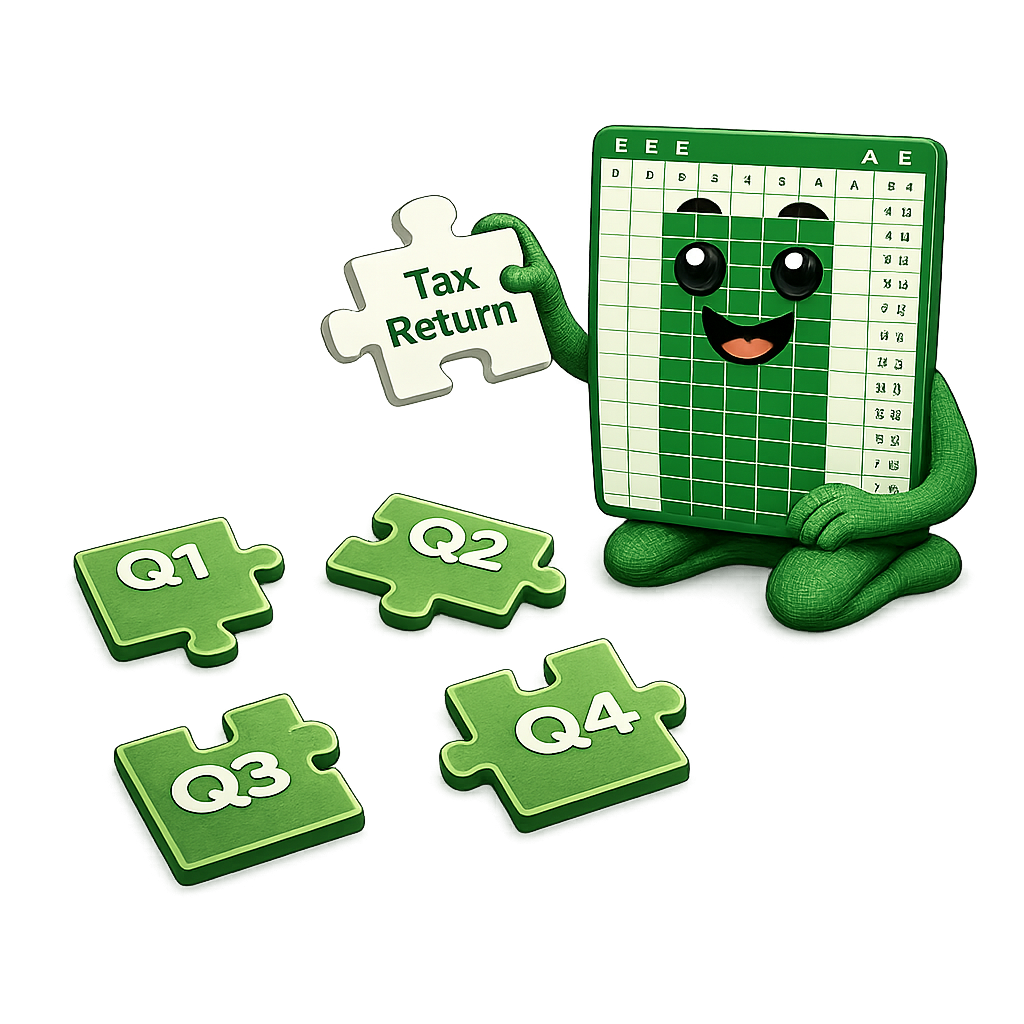
Think of your quarterly updates as building a jigsaw throughout the year.
Your end of year tax return is your opportunity to check that all the pieces are in the right place so the picture is complete before HMRC calculates your tax due.
If you're within Making Tax Digital for Income Tax, you'll complete one tax return each tax year.
This applies whether you have:
- one self-employed business
- one UK property business
- both self-employment and property income
- more than one income source.
Your tax return brings all of your income sources together so HMRC can calculate your overall tax position.
If you're joining Making Tax Digital from 6 April 2026, you'll still complete your 2025/26 Self Assessment in the usual way. This covers the tax year before MTD begins.
Your first end of year tax return will then cover the 2026/27 tax year. It can be submitted once the tax year ends on 5 April 2027 and must be submitted by 31 January 2028.
After that, you'll complete one end of year tax return each year by 31 January following the end of the relevant tax year.
By the time you complete your end of year tax return, HMRC will already have received your quarterly updates.
For many people, completing their tax return is simply a case of checking everything is correct before submitting it. Others may need to make a few changes or add information that wasn't included during the year.
For example, you might need to:
- correct a mistake you've spotted
- remove an expense that later turns out not to be tax deductible
- claim a tax relief or allowance you're entitled to
- include income that isn't reported through your quarterly updates
- record a business loss
- update information that changed during the tax year.
Many people assume that Making Tax Digital replaces Self Assessment altogether.
In reality, it replaces the way you submit your annual tax return.
If you're completing a tax year before you joined Making Tax Digital, you'll still complete your Self Assessment in the usual way.
Once you're reporting through Making Tax Digital, you'll complete your annual tax return using MTD-compatible software instead of HMRC's existing online Self Assessment service.
You'll still complete one tax return each year, you'll simply do it as part of the MTD process.
Quarterly updates and your end of year tax return work together, but they each have a different purpose.
Your quarterly updates keep HMRC up to date throughout the year by providing a summary of your income and expenses.
Your end of year tax return is the final step. It brings everything together, allows you to make any final adjustments if needed and confirms your information before HMRC calculates how much tax you owe.
One of the biggest concerns people have is whether their end of year tax return suddenly becomes much more detailed than their quarterly updates.
For many people, the answer is no.
If your sole trading or UK property business has income below £90,000, HMRC allows the use of simplified reporting (sometimes called three-line accounts). If you have both, the £90,000 limit applies to each income source separately. This means you don't need to provide a detailed breakdown of every income and expense category.
Instead, you can continue using the same simplified approach you've used throughout the year.
That's one of the reasons suiteSheets currently supports businesses and landlords with less than £90,000 per income source. It allows us to keep the submission process straightforward while remaining fully compliant with HMRC's rules.
If you'd like to learn more about categorisation, check out our Categorisation Guide.
If you've been researching Making Tax Digital online, you may have seen the term ‘Final Declaration’. Don't worry, it means exactly the same stage of the process.
‘Final Declaration’ is the technical name used within HMRC's software systems but ‘tax return’ is the term they use in public-facing communications.
That's why throughout the suiteSheets Help Centre we simply refer to this as your ‘end of year tax return’.
End of year tax return functionality is currently under development.
Our aim is exactly the same as it is for quarterly updates - making the process straightforward for spreadsheet users, without asking them to move to complicated accounting software.
The feature will be available before customers need to submit their first end of year tax return, allowing you to complete your entire Making Tax Digital journey with suiteSheets.
Current pricing is:
Quarterly Updates
- £20 per tax year for your first income source
- £10 per additional income source
End of year tax return
- £15 flat fee
If you're completing a tax year before you joined Making Tax Digital, you'll still complete your Self Assessment in the usual way.
Once you're reporting through Making Tax Digital for Income Tax, you'll complete your annual tax return using MTD-compatible software instead of HMRC's existing online Self Assessment service.
Quarterly updates and your end of year tax return are both part of the Making Tax Digital process and each has a different purpose.
Quarterly updates keep HMRC up to date throughout the year, while your end of year tax return is where you review everything you've submitted, make any final adjustments if needed and confirm your information before HMRC calculates your tax.
If you're joining Making Tax Digital from 6 April 2026, you'll still complete your 2025/26 Self Assessment first.
Your first end of year tax return will cover the 2026/27 tax year and must be submitted by 31 January 2028.
After that, you'll complete one end of year tax return each year by 31 January following the end of the relevant tax year.
Once the tax year has ended and you've checked your records, you can submit your end of year tax return at any point before the deadline.
Yes, if they're within Making Tax Digital for Income Tax.
Just like sole traders, landlords within MTD will submit quarterly updates throughout the year before completing one end of year tax return covering the whole tax year.
You'll submit quarterly updates for each income source during the year.
Your end of year tax return then brings everything together, allowing HMRC to calculate your overall tax position.
If you earn less than £90,000 from each income source (sole trading and/or property), HMRC allows eligible businesses and landlords to use simplified reporting (sometimes called three-line accounts). This means you don't need to provide a detailed breakdown of every income and expense category.
A Final Declaration is the technical name used within HMRC's software systems.
In customer guidance, HMRC simply refers to this stage as your tax return.
End of year tax return functionality is currently under development and will be available before customers need to submit their first end of year tax return.
Our aim is to make the process just as straightforward as our quarterly updates, allowing spreadsheet users to complete their entire Making Tax Digital journey with suiteSheets.
Our standard price will be £15 per end of year tax return.
This guide is provided for general information only and is based on HMRC guidance available at the time of writing.
suiteSheets is software for spreadsheet users. We do not provide tax advice, accounting advice or legal advice. If you are unsure how Making Tax Digital applies to your circumstances, contact HMRC or a qualified adviser.
These HMRC pages provide further context on end of year tax returns, adjustments, eligibility and the terminology used for Making Tax Digital for Income Tax.
Try the FREE suiteSheets template
Want to see what a spreadsheet designed for Making Tax Digital looks like?
Download the free suiteSheets template and explore how income, expenses and totals can be structured for a spreadsheet-based MTD solution.
Open a FREE suiteSheets account
suiteSheets is MTD-compatible software designed for sole traders and landlords who prefer a spreadsheet-based approach to Making Tax Digital.
Open your free suiteSheets account and explore Making Tax Digital made easy.